
STaaS Meaning: Your 2025 Guide to Cloud Storage
Imagine running a small online shop. One day, holiday sales explode, and suddenly you’re scrambling for more space to store customer photos and orders. Buying new servers would cost a fortune and take weeks. That’s where Storage as a Service, or STaaS, comes in handy. It lets you rent extra storage online, just like adding shelves when you need them, without the big upfront hassle.
In this guide, we’ll chat about what STaaS really means, why it’s growing fast, and how it can help you manage data without headaches.
Key Takeaways
- STaaS means Storage as a Service – it’s cloud-based storage you pay for as you use, separate from SaaS which is about software apps.
- The STaaS market was around $40-90 billion in recent years and is heading toward hundreds of billions by the early 2030s, thanks to massive data growth.
- Benefits like easy scaling and lower costs are great, but watch out for security risks – fix them with strong encryption and good provider agreements.
- Leaders include AWS S3, Azure Blob Storage, and Google Cloud Storage, each good for different needs like object or hybrid setups.
- Start with STaaS to handle growing data – pick a provider that fits your budget and try a small test to see the savings.
What Is STaaS?
Think of STaaS as renting storage space in the cloud. A company like AWS or Microsoft handles the hardware, and you just upload your files – photos, documents, videos – and pay monthly based on what you store and access.
It’s all on-demand, so if your business grows, you can add more space instantly. No need to buy and maintain your own big servers.
STaaS vs SaaS and IaaS
People often mix up STaaS with SaaS. SaaS is for using software online, like Google Docs for editing files. STaaS is just for storing those files.
Compared to IaaS, which gives you full virtual servers to run anything, STaaS focuses only on storage. It’s simpler if all you need is a safe place for data backups or big files.
For example, a video streaming app might use STaaS for holding movies, while using SaaS for customer management.
Evolution of STaaS
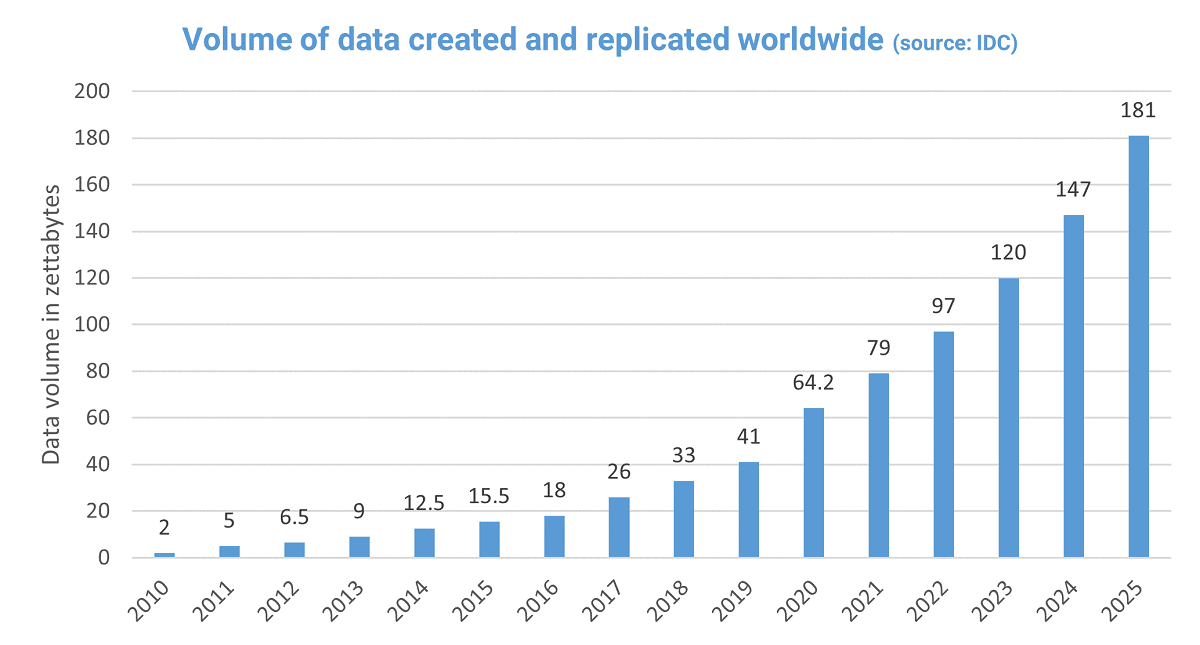
Years ago, companies bought physical hard drives and stacked them in rooms. Now, with data exploding – we’re talking about 181 zettabytes created worldwide in 2025 – cloud storage makes sense.
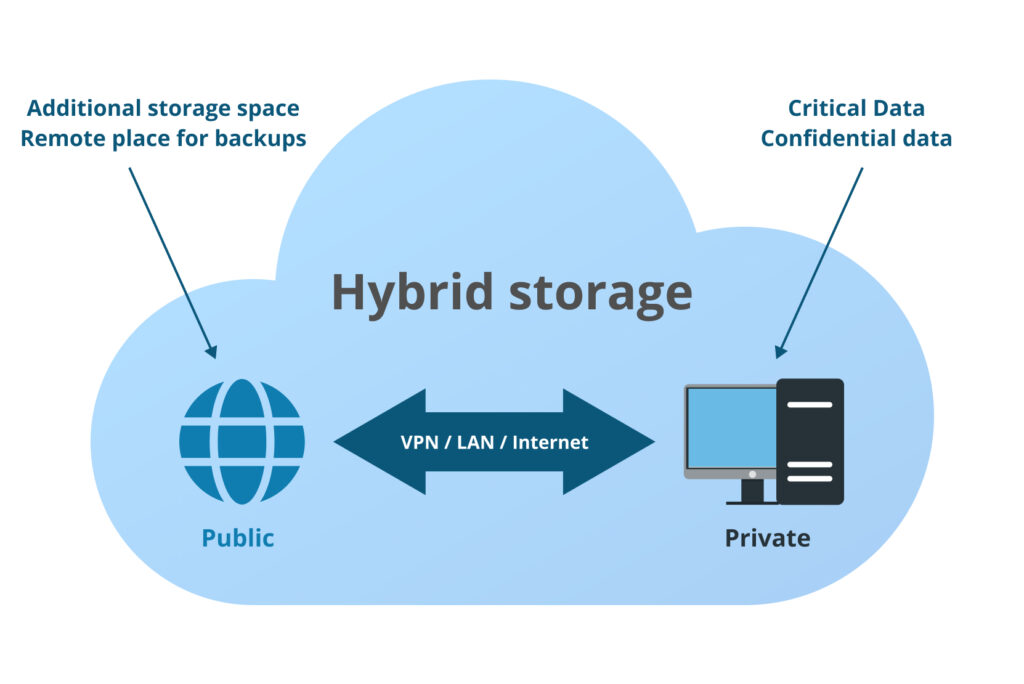
Hybrid options are popular today, mixing on-site storage for quick access with cloud for backups. This shift helps businesses handle AI data and remote work without breaking the bank.
Types of STaaS
STaaS comes in a few flavors, depending on your data type.
Block Storage Explained
Block storage acts like a super-fast hard drive. It’s great for databases where speed matters, like in online shopping sites processing orders quickly.
Picture a busy restaurant kitchen needing ingredients right away – block storage keeps things moving fast.
File and Object Storage
File storage is like shared folders everyone can access, good for team documents.
Object storage handles huge amounts of unstructured stuff, like videos or photos. It’s cheaper for long-term keeping and scales massively. Many use it for big data lakes in analytics.
How STaaS Works
You connect via the internet or direct links, upload data through simple tools, and the provider spreads it across secure servers with backups.
They sort data into “hot” for frequent use and “cold” for archives to save money.
Key Components and Setup
Main parts include encryption for safety, agreements promising uptime, and tools to move data in.
To start, pick a provider, set up an account, and test with some files. It’s often ready in days.
Migration to STaaS
Moving from old storage? Plan it step by step: Map your data, transfer in batches, and use tools to avoid downtime.
To prevent getting stuck with one provider, choose ones supporting multi-cloud moves.
STaaS for Disaster Recovery
One of the biggest advantages of STaaS is its role in disaster recovery. Instead of worrying about physical drives failing or natural disasters wiping out your data, cloud providers automatically back up files across multiple locations. This ensures that even if one server goes down, your business can continue running smoothly without data loss. For companies handling sensitive information, this peace of mind is invaluable.
Cost Optimization Strategies
While STaaS is pay-as-you-go, costs can add up if not managed carefully. Businesses can save money by using tiered storage options—keeping frequently accessed data in “hot” storage and moving older files to cheaper “cold” storage. Monitoring tools offered by providers help track usage patterns and predict expenses, ensuring you never pay more than necessary while still enjoying fast, reliable access to your data.
Why switch? It saves money and time.
Cost Savings and Flexibility
You pay only for what you use, turning big buys into monthly bills. Startups often cut storage costs in half this way. No more guessing how much space you’ll need years ahead.
Enhanced Data Management
Built-in backups and recovery mean less worry about losing files. Auto-sorting hot and cold data keeps things efficient. Tip: Set rules to move old files to cheaper storage automatically.
Challenges in STaaS
It’s not perfect – there are hurdles.
Security and Compliance Issues
Your data sits on someone else’s servers, so breaches are a risk. Pick providers with strong encryption and checks for rules like health data privacy.
Many healthcare firms use compliant STaaS for patient records safely.
Managing Costs and Latency
Unexpected fees for pulling data out can add up. Slow speeds happen with big transfers over the internet.
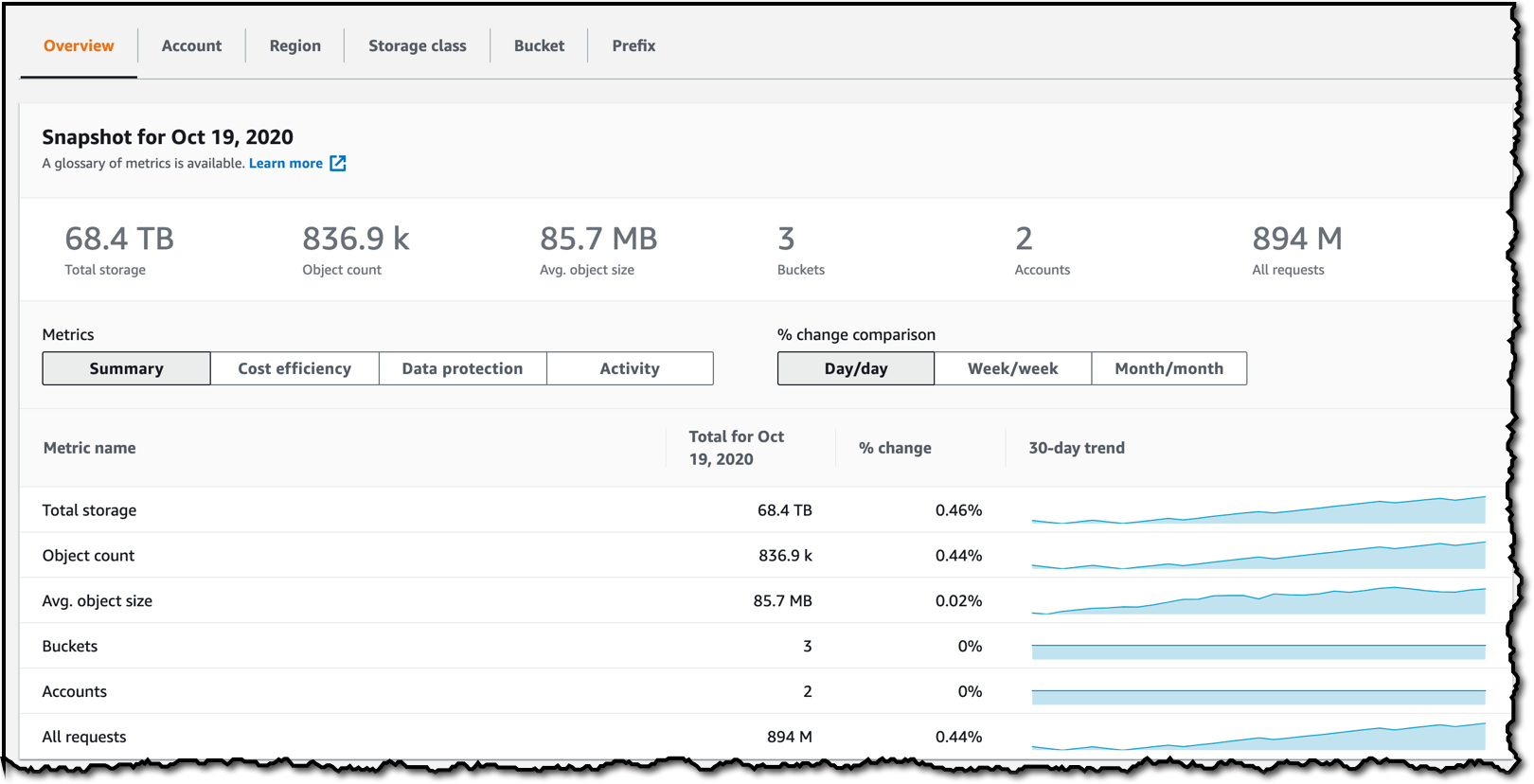
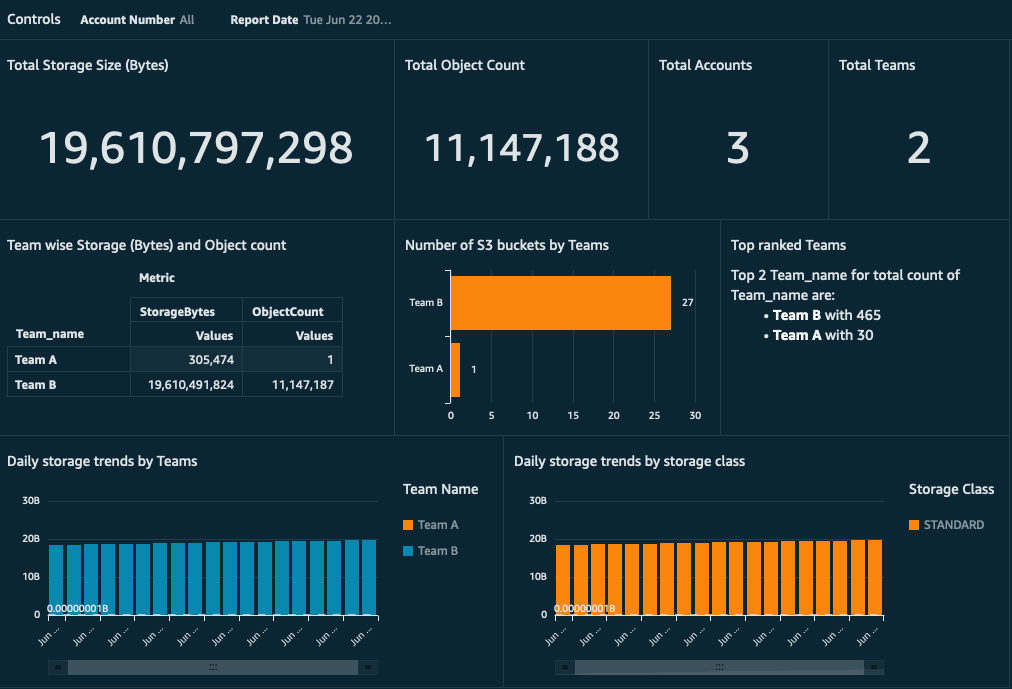
Tips: Track usage with built-in tools and keep frequently needed data closer, maybe in hybrid setups.
STaaS Use Cases
Real businesses love it for everyday needs.
Industry Examples
Media companies store tons of videos affordably. Finance teams archive records securely.
One famous case: Netflix uses AWS S3 for streaming libraries, handling massive viewer data smoothly.
AI and Edge Computing Integration
In 2025, STaaS powers AI with huge datasets. Self-driving cars store sensor info in hybrid clouds for quick processing.
Top STaaS Providers 2025
Big names lead the pack.
Provider Comparison
- AWS S3 → Tops in object storage, super reliable with near-perfect durability.
- Azure Blob → Great for Microsoft users, strong hybrid options.
- Google Cloud → Excels in AI tools, often cheaper for analytics.
Market shares: AWS around 30%, Azure 20-25%, Google 10-13%.
Choosing the Right Provider
Think about your data type, compliance needs, and costs. Read agreements carefully for uptime promises.
Tip: Test a few with free tiers to see what fits best.
Future Trends in STaaS
Looking ahead, expect more AI automation for managing storage and greener options to cut energy use. Multi-cloud setups will grow, letting you mix providers for the best deals. Assess your data needs today and give STaaS a try – start small with a provider trial and watch your storage grow without the stress.
Conclusion
STaaS is transforming how businesses handle data in 2025. By offering scalable, flexible, and secure cloud storage, it eliminates the need for costly hardware and complex server management. From disaster recovery to cost optimization, STaaS empowers companies to focus on growth while keeping data safe and accessible. Start small, explore top providers, and leverage cloud storage to meet your evolving business needs with confidence and ease.